What is payroll software and how does it work?
If you have ever spent hours manually on payroll calculations then you already know how painful payroll can get. One small mistake can lead to compliance issues, penalties from HMRC and unhappy employees.
That is where payroll software helps you get rid of all these problems. In this guide, I will walk you through everything you need to know about payroll software. What it is, how it works, what features to look for and how to pick the right one for your business.
What is Payroll software?
Payroll software is a digital tool that helps businesses to manage everything related to paying their employees. It can handle all manual payroll tasks such as calculating salaries, deducting taxes, processing payments, handling pension contributions, generating payslips and increasing the overall payroll efficiency.
How Does Payroll Management Software Work?
Payroll system automates the process of paying your employees. Instead of doing everything manually, the system handles the calculations, deductions and payments for you. Here is a simple breakdown of how it works.
Data Input
First, you put in all the employee information. Things like salary, hours worked, tax codes, pension contributions, and any bonuses or deductions. Most modern payroll tools pull this data automatically from your HR system, so you are not entering the same information twice.
Calculations
Once the data is in, the software does all the math. It calculates gross pay, deducts income tax, national insurance, pension contributions, and anything else that needs to come out. This is where payroll system saves you the most time, because even a small error in manual calculations can cause big problems.
Compliance
Good software keeps up with the latest tax laws and regulations. So when rules change, the software updates itself and makes sure your payroll stays compliant. You do not have to chase every legislative update yourself.
Distribution
After all the calculations are done, the software processes the payments. Salaries go directly into employee bank accounts, and payslips are sent out automatically. Some tools also let employees access their payslips through a self-service portal.
Reporting
Finally, software for payroll gives you reports. You can see a full breakdown of what you paid, who you paid, tax submissions, and more. These reports are useful for audits, finance teams, and just keeping your records clean.
Key Features of Payroll System
Not all payroll software is built the same. But there are some features you should expect from any decent tool.
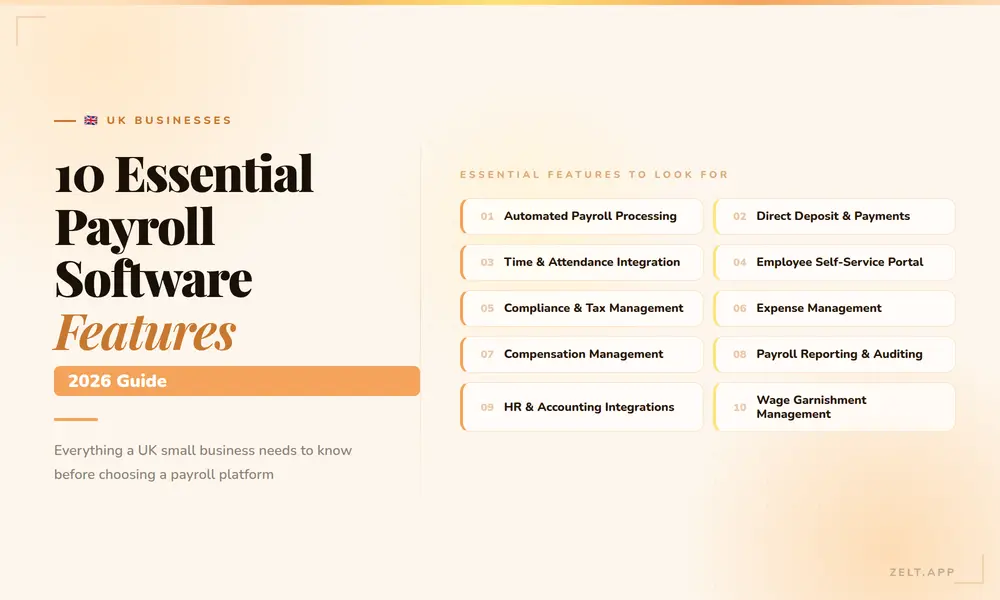
- Automated payroll calculations. The whole point of payroll management software is to remove manual work. A good tool should calculate everything automatically based on the data you have set up.
- Tax filing and compliance. The software should handle tax submissions directly to HMRC. You should not have to do this yourself every month.
- Employee self-service. Employees should be able to log in and view their own payslips, update their bank details, and check their payment history. This alone reduces a lot of back and forth with HR.
- Integration with HR systems. Payroll and HR data go hand in hand. If your payroll tool does not talk to your HR system, you are going to end up with duplicate work and data mismatches.
- Pension management. Auto-enrolment is a legal requirement in the UK. Your software should handle pension contributions and submissions automatically.
- Audit trail and reporting. You need a clear record of every payroll run. Good software keeps a full history and lets you pull reports whenever you need them.
Want to look at the essential payroll management software features? Have a look at our detailed blog on 10 essential payroll system features.
Types of Payroll Software
There are a few different types of payroll solutions out there, and it helps to know the difference before you decide.
Cloud-based payroll software
Cloud-based payroll software is the most popular option right now. Everything runs online, so you can access it from anywhere. It updates automatically and usually comes with a monthly subscription.
On-premise payroll software
On-premise payroll software is installed directly on your company’s servers. You have more control over the data, but you are also responsible for maintenance and updates. Most businesses are moving away from this model.
Integrated HR and payroll software
Integrated HR and payroll software combines payroll with the rest of your HR tools in one platform. This is usually the best option for growing businesses because everything is connected and you are working from one single source of data.
Standalone payroll tools
Standalone payroll tools are built specifically for payroll and nothing else. They can work well for very small businesses, but as you grow, you will likely want something that connects with your wider HR stack.
Benefits of Using Payroll Software
Here are the benefits of using payroll solution for businesses and employees.
For Businesses
The most obvious benefit is time. Running payroll manually takes hours every month. Payroll software brings that down significantly, sometimes to just a few clicks once everything is set up.
It also reduces errors. Manual payroll means human error. Payroll system calculates everything based on the data you have set up, which means fewer mistakes and fewer corrections later.
Compliance is another big one. Tax laws change, minimum wage rates update, pension rules shift. Keeping up with all of this manually is a full-time job. Payroll automation software takes care of most of it for you.
And then there is the cost side. When you factor in the time your HR and finance team spend on manual payroll tasks, the cost of payroll system usually pays for itself pretty quickly.
For Employees
Employees get paid accurately and on time. That sounds basic, but it matters a lot to people. Payroll errors create frustration and erode trust.
They also get easy access to their payslips and payment history through self-service portals. No more emailing HR every time someone needs a copy of an old payslip.
And when the payroll process is transparent and accurate, it builds confidence in the organisation. People feel valued when they are paid correctly without having to chase anyone.
Payroll Software and Tax Compliance
Compliance is probably the area where payroll software adds the most value for UK businesses specifically.
HMRC requires employers to submit payroll information in real time through RTI, which is Real Time Information. Every time you pay an employee, you need to send a submission to HMRC.
Doing this manually is time-consuming and easy to get wrong.
Payroll management software handles RTI submissions automatically. It also calculates the right amount of PAYE, national insurance, and student loan deductions based on each employee’s tax code.
When the government updates tax thresholds or rates, a good payroll solution reflects those changes automatically. You do not have to manually update anything or worry about using the wrong rates.
For businesses with auto-enrolment obligations, a payroll system also manages pension contributions and sends the right data to pension providers. This is one of those areas where mistakes can lead to real penalties, so having the software handle it is a big relief.
How to Choose Payroll Software
Choosing payroll software is not just about finding the cheapest option. It is about finding the right fit for your business size, your team, and the way you work. Here is a simple process to help you make the right call:
Understand Your Needs
Start by writing down what your current payroll process looks like and where the pain points are. Are you dealing with calculation errors? Spending too much time on manual submissions? Struggling with compliance? Your software should solve your actual problems, not just add more features you will never use.
User Experience
Software should be easy to use. If your HR team needs a week of training just to run a payroll cycle, that is not a good sign. Look for something with a clean interface and a setup process that does not require an IT department to get started.
Compliance Support
Check whether the software is built for your region. For UK businesses, it should support RTI submissions, auto-enrolment, and stay up to date with HMRC requirements. Do not assume all payroll tools handle UK compliance out of the box.
Integrations
Your payroll solution needs to work with your existing tools. If it does not connect with your HR system, time and attendance tracker, or accounting software, you are going to create extra work for yourself. Always check the integration list before you commit.
Scalability
A payroll tool that works for ten employees might not work for a hundred. Think about where your business is going, not just where it is today. Check whether the software can handle more employees, more complex payroll structures, and multi-location setups if you need them.
Customer Support
Payroll is time-sensitive. If something goes wrong on payday, you need help fast. Check what kind of support the vendor offers. Live chat and phone support are worth paying extra for in this category.
Test the Waters
Always do a demo or a free trial before you sign anything. Use it to test the features you care about most and ask questions specific to your business. A good vendor will not rush you through the demo.
You can also read our guide on the 10 best payroll software for UK businesses to see available options and their features.
How to Implement Payroll Solution Successfully
Getting the software is only half the job. The implementation is where most businesses either get it right or create new problems for themselves.
Get your data clean before you start. Employee records, tax codes, salary details, pension information. If you migrate messy data into a new system, the new system will just produce messy results.
Involve the right people early. HR, finance, and IT all need to be part of the setup process. Payroll touches multiple teams, and leaving anyone out usually leads to issues later.
Run a parallel payroll. For the first one or two cycles, run your old process alongside the new software and compare the results. This helps you catch any setup errors before they affect real payments.
Train your team properly. Even the most intuitive software needs some onboarding. Make sure everyone who will use the system knows how it works before go-live.
Have a support plan in place. Know who to call if something goes wrong. Whether that is the vendor’s support team or an internal contact, you do not want to be figuring this out in the middle of a payroll run.
Discover Zelt’s Payroll Software
When payroll is running smoothly, nobody notices it, but when something goes wrong, everyone feels it. Choosing the right software like Zelt’s payroll software can take that stress off your plate and make sure your people get paid accurately every single time. Zelt is an all in one hr software that means you don’t have to switch between two tools and you can manage all your HR and payroll things in one place. So, if you are still running payroll manually or your current tool is causing more problems than it solves, it is probably worth taking a look at Zelt.