How Payroll Software Handles HMRC Submissions and Compliance
If you’re running payroll manually or using a basic spreadsheet, there’s a good chance you’ve already missed a deadline or submitted something wrong to HMRC and didn’t even know it. It happens more than people think.
Payroll compliance in the UK isn’t simple. Between RTI submissions, tax codes, NI calculations and year-end forms, there’s a lot going on. And HMRC doesn’t really give you a pass for “I didn’t know.”
That’s where payroll software comes in. In this guide, I’ve broken down exactly how it handles HMRC submissions and keeps you compliant, without you having to manually track every rule and deadline.
What Is HMRC Payroll Compliance? (And Why It Matters)
HMRC payroll compliance basically means you’re paying your employees correctly, deducting the right tax and NI and reporting everything to HMRC on time.
Sounds simple, but there are quite a few moving parts. You need to:
- Submit payroll data to HMRC every single time you pay someone
- Use the correct tax codes for each employee
- Calculate National Insurance accurately
- Handle statutory payments like sick pay or maternity pay
- File year-end reports before the deadline
If you get any of this wrong, HMRC can issue penalties. And they do. Even a late submission, by just one day, can trigger a fine.
Good payroll system takes most of this off your plate by automating the calculations and submissions directly. You don’t need to know every rule by heart, the software handles it.
Talk to an expert
See how Zelt handles RTI submissions, tax codes, and year-end compliance, all running automatically in the background.
Real Time Information (RTI): The Backbone of HMRC Submissions
RTI, or Real Time Information, is the system HMRC uses to receive payroll data from employers. It was introduced back in 2013 and it basically changed how payroll reporting works in the UK.
Before RTI, employers would report payroll data once a year. Now, you have to report it every single time you pay someone, on or before the pay date. That’s a big shift and it’s where a lot of small businesses struggle when they’re doing things manually.
Payroll software handles RTI by automatically preparing and sending the right submission every payday. You don’t have to manually log into the HMRC portal or fill out forms, it all happens in the background.
There are two main types of RTI submissions you need to know about.
Full Payment Submission (FPS) — What It Is and When to Submit
The FPS is the main submission you send every payday. It tells HMRC exactly what you paid each employee, how much tax was deducted, how much NI was deducted and the year-to-date totals.
It has to be submitted on or before the date you actually pay people. Not the day after. Not a few days later. On or before.
Payroll software handles this automatically. Once you finalise payroll for the period, it prepares the FPS and sends it through to HMRC via the Government Gateway. You get a confirmation back and it’s done.
Employer Payment Summary (EPS) — When and Why You Need It
The EPS is a different submission that you send when there’s something extra to report or when you’re not paying any employees in a particular month.
You’d use an EPS to:
- Tell HMRC you’re not paying anyone this period (so they don’t chase you for a missing FPS)
- Reclaim statutory payments like SMP or SSP that you’ve already paid out
- Report Apprenticeship Levy if it applies to your business
- Claim Employment Allowance
Payroll automation software tracks when an EPS is needed and prepares it for you. Without software, it’s easy to forget this step, which leads to unnecessary HMRC reminders and sometimes penalties.
How Payroll Software Automates Tax Code and NI Calculations
This is probably the part that causes the most confusion for people managing payroll manually.
Every employee has a tax code, something like 1257L or BR or K codes and that code tells you how much income tax to deduct. HMRC can update an employee’s tax code at any point during the year by sending a P6 or P9 notice.
When you’re doing payroll manually, you have to spot those notices, apply the new code and recalculate. It’s easy to miss one.
Payroll software pulls these tax code updates directly from HMRC and applies them automatically before the next payroll run. You don’t have to do anything, it just updates.
Same goes for National Insurance. NI calculations are based on earnings thresholds, the Lower Earnings Limit, Primary Threshold, Upper Earnings Limit and the rates and thresholds change pretty much every April. If you want to check how NI is calculated for your business, use our NI calculator for employers to get a quick breakdown. Cloud-based Payroll software has all of this built in and updates it when new rates come in.
It also handles the trickier stuff, like director NI calculations (which work differently to regular employees) and Scottish or Welsh income tax rates where they apply.
Managing Statutory Payments Through Payroll System
Statutory payments are things like Statutory Sick Pay (SSP), Statutory Maternity Pay (SMP), Statutory Paternity Pay (SPP) and Shared Parental Pay (ShPP). These are legal minimums you have to pay when an employee qualifies.
The rules around each one are different, different qualifying periods, different rates, different durations. Getting them wrong can cause real problems, both for your employee and your HMRC reporting.
Payroll software calculates statutory payments automatically based on the employee’s earnings and eligibility. You just record the absence or leave and the software works out what they’re owed.
It also handles the recovery side of things. If you’re a small employer, you might be eligible to reclaim 103% of SMP back from HMRC through something called Small Employers’ Relief. The software factors this in and includes it in your EPS so it offsets against your PAYE bill. Without software, this is the kind of thing that easily gets missed.
Auto-Enrolment and Pension Compliance
Auto-enrolment is the legal requirement to automatically enrol eligible workers into a workplace pension. It’s been in place since 2012 and by now most businesses are already set up, but the ongoing compliance part is where things can slip. You need to:
- Assess your workers every pay period to check who’s eligible.
- Automatically enrol new eligible workers.
- Manage opt-outs and re-enrolment every three years.
- Submit accurate contribution data to your pension provider.
Payroll software handles all of this alongside payroll. It assesses employees each time you run payroll, flags anyone who needs to be enrolled and calculates the correct employer and employee contributions.
It also sends contribution data to your pension provider, whether that’s Nest, People’s Pension, or another scheme, so everything stays in sync. That’s one less manual step and one less thing that can go wrong.
Year-End Payroll Compliance: P60s, P45s and Final FPS
At the end of the tax year (5 April), there’s a bit of a checklist to get through. Your software will handle:
- P60s: Every employee still on your payroll at 5 April needs a P60 by 31 May. It’s a summary of their pay and deductions for the full year. Payroll system generates these automatically and in many systems employees can access them directly through a self-service portal.
- P45s: When someone leaves during the year, they need a P45 on their last day (or as close to it as possible). Payroll management software generates this as part of the leaver process.
- Final FPS: Your last FPS of the tax year needs to be marked as “the final submission for this tax year.” Software handles this flag automatically so HMRC knows not to expect any more submissions until the new tax year.
Most payroll software will also prompt you to check for any outstanding issues before year-end, like employees with temporary tax codes that haven’t been resolved, so you’re not leaving things messy going into the new year.
What Happens When HMRC Submissions Go Wrong?
Even with software, things can occasionally go wrong. An employee’s NI number might be incorrect. A submission might fail at the Government Gateway. A tax code might not have updated in time.
The difference is that payroll software catches most of these before they become a problem.
Before submitting, good payroll system runs validation checks on the data. If something looks wrong, a missing NI number, an invalid tax code, it flags it before the submission goes out. That stops errors reaching HMRC in the first place.
When a submission does fail, the software logs the error with a timestamp and tells you exactly what went wrong so you can fix and resubmit quickly. That audit trail is also useful if HMRC ever questions something, you can show exactly what was submitted and when.
The penalties for late or incorrect submissions can add up. HMRC charges based on number of employees and how late the submission is. For businesses with 1–9 employees it starts at £100 per month. For larger businesses it goes up significantly. So catching things early matters.
How to Choose Payroll systemThat Keeps You HMRC-Compliant
Not all payroll management software is built the same. Some tools are good at the basics but fall short when things get complicated, like handling multiple pay frequencies, managing director payrolls, or dealing with complex statutory payment scenarios. Here’s what to look for:
- HMRC recognition: The software should be on HMRC’s list of recognised payroll software. This means it’s been tested and meets HMRC’s technical requirements for RTI submissions.
- Automatic updates: Tax rates, NI thresholds and statutory payment rates change every year (sometimes mid-year too). Your software should update automatically so you’re not manually adjusting figures after every Budget.
- Built-in validation: It should check your data before submitting to HMRC, not just after.
- Integration with HR: If your software connects to your HR system, things like new starters, leavers and salary changes flow through automatically. No re-entering data, no risk of payroll running on outdated information.
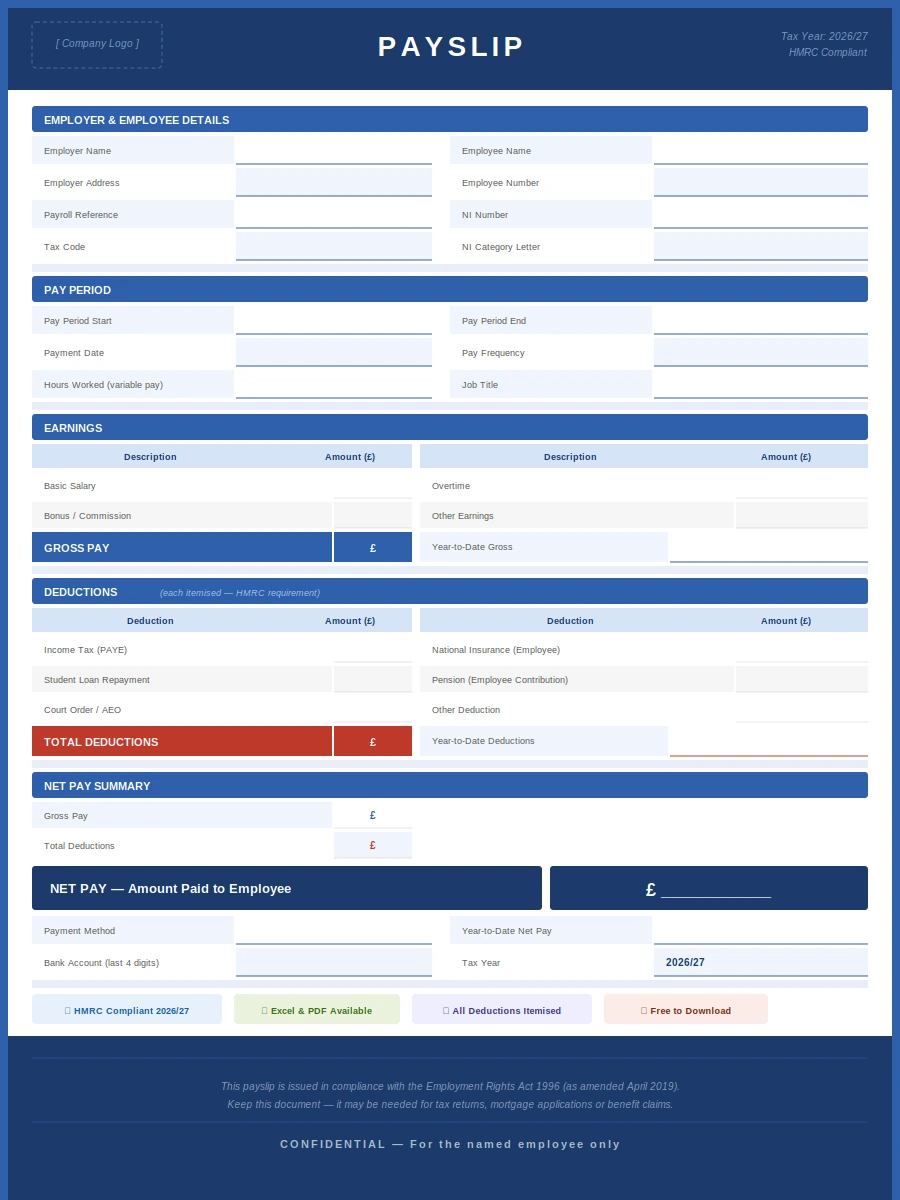
- Employee self-service: Employees being able to access their own payslips and P60s reduces admin for your team and removes the need to email sensitive documents around. If you’re looking for a simple format, you can also use our free payslip template to understand what information should appear on a UK payslip.
If you’re still comparing providers, our guide to the best payroll software in the UK reviews leading options based on HMRC compliance, automation features, integrations and pricing, making it easier to find the right solution for your business.
How Zelt Handles HMRC Submissions and Compliance
Most payroll tools are standalone, and that’s where things start to break down. Data doesn’t sync, changes get missed, and suddenly your HMRC submissions have errors you didn’t even know about. Zelt’ payroll software fixes that by building payroll directly into the HR platform. Here’s what that looks like in practice:
- RTI submissions handled automatically: FPS goes out on or before every pay date without any manual steps.
- HR and payroll stay in sync: new starters, salary changes, and leavers flow straight into payroll the moment HR makes the update.
- Tax code updates applied automatically: no chasing P6/P9 notices or manually adjusting codes.
- Statutory payments calculated and recovered: SSP, SMP, and other statutory payments are calculated correctly and included in your EPS where eligible
- Year-end sorted: P60s, P45s, and your final FPS are all handled within the same platform.
- Full audit trail: every submission is logged with a timestamp, so you’re covered if HMRC ever questions anything.
Zelt brings everything in one place and provides a perfect solution to handle HMRC submissions and compliance , which means less room for error and a lot less admin for your team.