10 Best Workforce Management Software UK (2026)
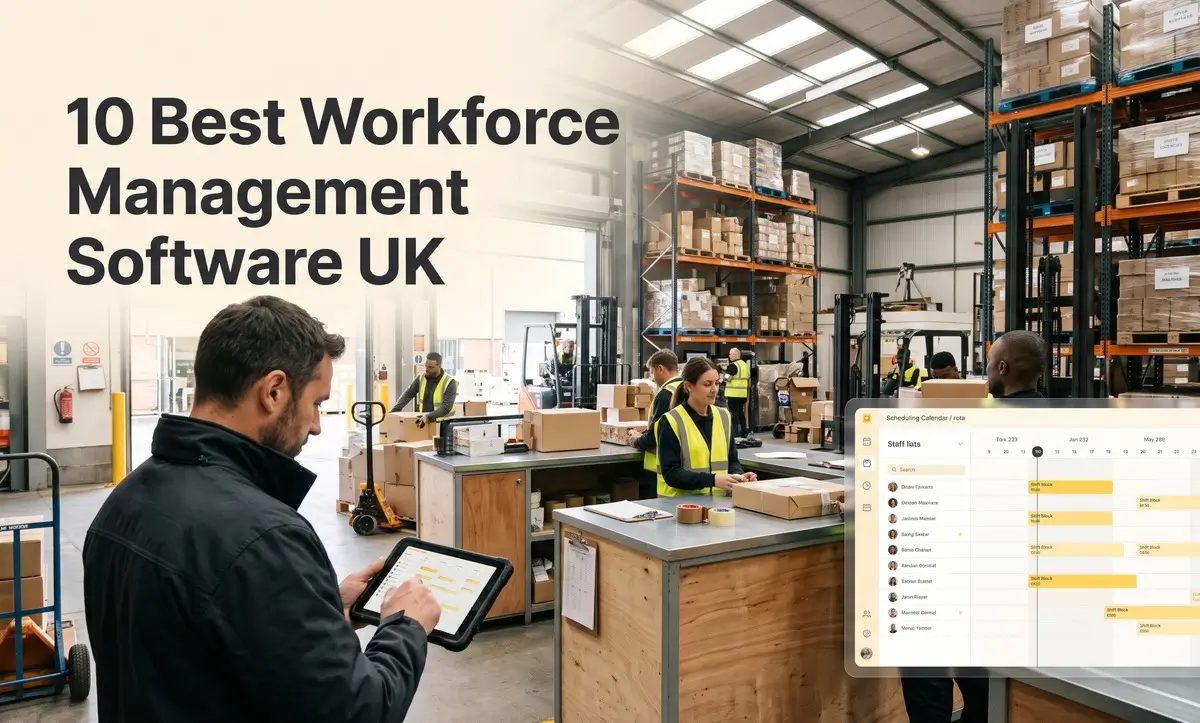
Managing a workforce is not easy. It becomes more difficult when you have employees working on different shifts and schedules. Tracking working hours, managing staff availability, and ensuring you have the right people at the right time can quickly become complicated. That’s why many businesses look for the best workforce management software to manage their workforce more efficiently.
In this guide, we have researched and compared the 10 best WFM software for UK businesses in 2026. We have compared their features, pros, cons and pricing, so you can find the right fit for your team.
Best Workforce Management Software: Our Top Picks at a Glance
Here is a quick summary of the 10 best workforce management software in this guide. Use it to shortlist two or three, then read the full reviews.
| Software | Best for | Typical customer | Starting price |
|---|---|---|---|
| Zelt | Joining up HR, payroll and workforce data | UK small and mid-sized teams | From £5/employee/month |
| Workforce.com | Hospitality and social care | SMEs to mid-sized | From £7/user/month |
| UKG Pro Workforce Management | Complex enterprises | Large organisations | From £12/user/month |
| Rotageek | Demand-based scheduling at scale | Large retail and hospitality | From £7/user/month |
| ADP Workforce Manager | Businesses using ADP payroll | Mid-sized to large | Custom quote |
| Dayforce | Combined payroll and WFM | Mid-sized to large | From £12/user/month |
| Deputy | Multi-site shift teams | SMEs to mid-sized | From £3/user/month |
| Planday | Hospitality businesses | SMEs | From £3/user/month |
| RotaCloud | Small businesses | Small teams | From £10/month |
| Rotaready | Labour cost control | Hospitality and retail | From £5/user/month |
How We Chose These Tools
We looked at each tool from the point of view of a UK operations manager, HR lead or business owner running shift and hourly teams.
We judged every option on the same points:
- Scheduling: how easy it is to build, change and share rotas.
- Time and attendance: clocking in, timesheets and breaks.
- Labour cost control: forecasting, budgets and overtime alerts.
- UK compliance: support for working time rules, holiday and right to work.
- Payroll and HR links: how well hours and absence flow into pay.
- Mobile experience: whether frontline staff can use it easily on their phones.
- Value and support: clear pricing and UK-friendly support.
Some tools on this list are simple rota apps. Others are full workforce management platforms for large organisations. We explain who each one suits best.
What Is Workforce Management Software?
Workforce management software, often called WFM software, helps you plan, track and manage when and where your people work. It is mainly used by businesses with shift, hourly or frontline teams.
Instead of building rotas in spreadsheets and checking paper timesheets, everything sits in one system. Managers can see who is working, who is off and how much it is costing, in real time.
What Does Workforce Management Software Do?
Most WFM software helps you:
- Build rotas based on staff availability, skills and expected demand.
- Track time and attendance through clocking in on a phone, tablet or terminal.
- Manage holiday and absence so rotas update when someone is off.
- Control labour costs by comparing wage costs with budgets or sales.
- Send hours to payroll without retyping timesheets.
- Report on staffing such as overtime, lateness and absence trends.
For example, a restaurant manager could build next week’s rota in 20 minutes, see the wage cost against expected sales and publish it to staff phones in one click.
Is Workforce Management Software Only for Large Companies?
No, it is not. Some tools, like UKG and Rotageek, are built for large organisations with thousands of staff. But many others, like RotaCloud, Deputy and Planday, are designed for small and mid-sized businesses.
If you have even ten people working shifts, a simple WFM or rota tool can save hours each week. Many offer free trials and low per-user pricing, so you can start small and grow.
10 Best Workforce Management Software UK
Here is the detailed overview of the top 10 best workforce management software for UK SMEs. Each review follows the same layout, so you can compare tools quickly.
1.Zelt: Best for Joining Up HR, Payroll and Workforce Data
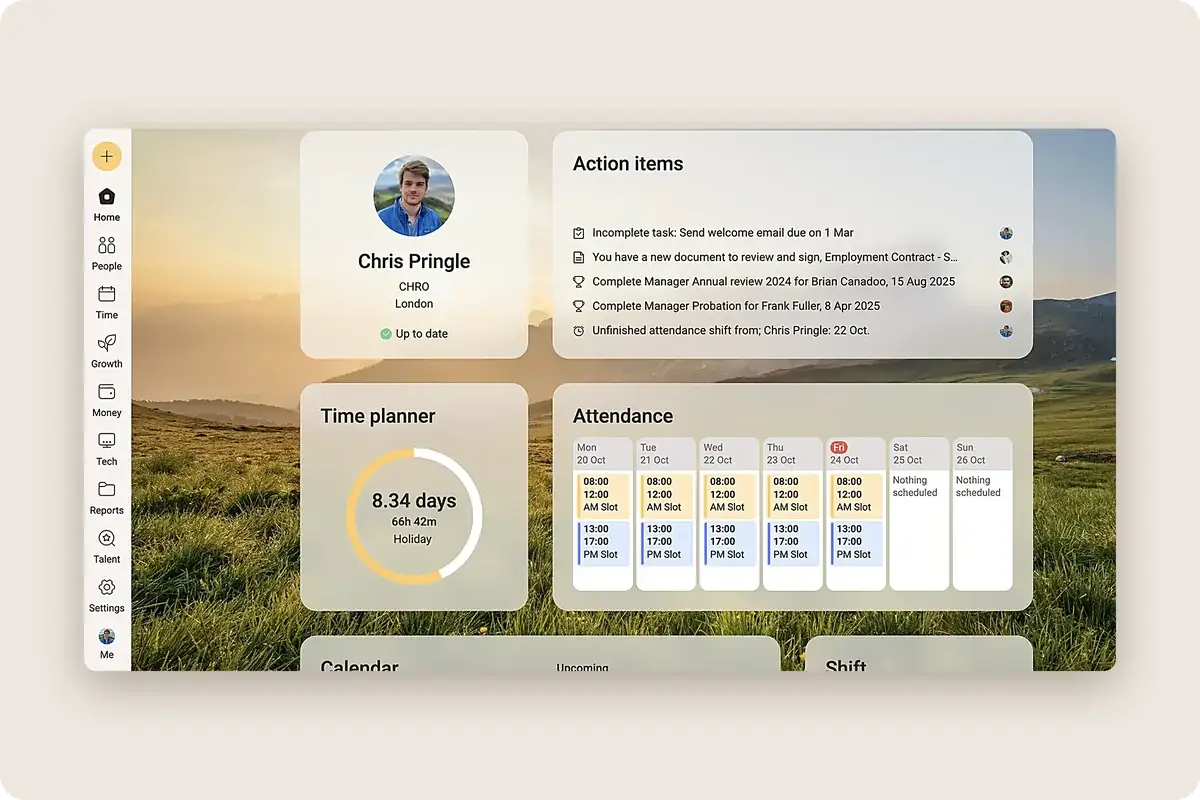
Zelt is an all-in-one HR software that combines Workforce management with HR and payroll in one system. For shift-based businesses, it keeps staff records, holiday, absence and UK payroll together, so changes flow straight into pay.
Who It’s Best For
Zelt suits UK Small and mid-sized businesses that want their workforce data, HR and payroll in one place, rather than spread across several tools.
Key Features
- Shift and rota scheduling: A drag-and-drop calendar, reusable shift templates and alerts for scheduling conflicts and cover gaps
- Time and attendance: Clock in and out on web or mobile, with GPS tracking and restrictions by site
- Live attendance view: See who is working now and spot missed clock-ins, late starts and unplanned absences as they happen
- Timesheets to payroll: Approved timesheets convert automatically into pay, with time tracked by job type or cost centre
- Holiday and absence: Automatic balances, time off in lieu for overtime and leave shown directly in the rota
- Built-in UK payroll: UK payroll, Pension auto-enrolment, and statutory sick and maternity pay
- Onboarding: Contracts, document collection, and right to work and DBS checks before day one
- Mobile self-service: Staff can see their shifts, book leave, view payslips and update their details
- Performance and training: Reviews, goals and training records, with expiry reminders for certifications
- IT management: Laptops and app access for new starters and leavers
- Reporting: Custom reports across sites, teams and entities using 500+ data points
Pros
- HR, payroll and IT in one UK-built platform
- Absence and pay changes flow into payroll
- Modular pricing
- GPS and site-based clock-ins for multi-site teams
Cons
- Not built for very large enterprises
- Statutory payroll filing outside the UK and GCC may need a local provider
UK Pricing
Pricing starts from £5/employee/month. Zelt charges per employee each month, based on the modules you choose.
Integrations
Zelt connects with Google Workspace, Microsoft 365, Slack, Xero and QuickBooks, and syncs leave to Google Calendar and Outlook. It also integrates with ATS and EOR tools such as Teamtailor, Workable, Deel and Remote, plus 100+ apps through Merge.dev and a public API.
See how Zelt brings Payroll, HR, and Workforce management together in one connected platform.
2.Workforce.com: Best Option for Hospitality and Social Care
Workforce.com offers scheduling, time and attendance and pay rule tools in one platform. It is popular with hospitality and care businesses that manage complex pay rates and shift rules.
Who It’s Best For
Workforce.com suits hospitality venues and social care providers that need accurate pay for shifts with different rates.
Key Features
- Rota building and shift templates
- Time clock with photo or location checks
- Pay rule automation for overtime and premiums
- Leave and availability management
- Payroll exports and integrations
Pros
- Strong pay rule automation
- Good fit for care and hospitality
- All-in-one scheduling and time tracking
Cons
- Setup of pay rules can take time
- Fewer HR features than full HR platforms
UK Pricing
Pricing starts from £7/user/month. Workforce.com charges per user each month.
Integrations
Workforce.com connects with payroll, POS and HR systems.
3.UKG Pro Workforce Management: Best for Complex Enterprises
UKG Pro Workforce Management, is an enterprise WFM platform. It handles scheduling, time, absence and forecasting for very large and complex workforces.
Who It’s Best For
UKG suits large organisations with thousands of staff, many sites and complex pay rules or union agreements.
Key Features
- Advanced scheduling and forecasting
- Time and attendance with terminals and mobile clocking
- Absence and leave management
- Complex pay rule handling
- Workforce analytics
Pros
- Handles very complex workforces
- Strong forecasting and analytics
- Global capability
Cons
- Expensive for smaller businesses
- Long setup, often with a partner
- Can feel complex for occasional users
UK Pricing
Pricing starts from £12/user/month. UKG prices by custom quote.
Integrations
UKG connects with major HR, payroll and finance systems.
4.Rotageek: Best for Demand-Based Scheduling at Scale
Rotageek is a UK scheduling platform that uses data to match staffing to demand. It is popular with large retailers and hospitality chains.
Who It’s Best For
Rotageek suits large retail, hospitality and contact centre businesses that want rotas built around footfall, sales or call volumes.
Key Features
- Demand forecasting and smart scheduling
- Mobile app for shifts, swaps and leave
- Time and attendance
- Labour cost and compliance reports
- Integrations with HR and payroll
Pros
- Strong demand-based scheduling
- UK-based supplier
- Good mobile app for staff
Cons
- Built for larger teams
- Not a full HR system
UK Pricing
Pricing starts from £7/user/month. Rotageek prices by custom quote.
Integrations
Rotageek connects with HR, payroll, time clock and forecasting systems.
5.ADP Workforce Manager: Best for Businesses Using ADP Payroll
ADP Workforce Manager is ADP’s workforce management tool. It covers scheduling, time and attendance and absence, and links closely with ADP payroll.
Who It’s Best For
ADP Workforce Manager suits mid-sized and large businesses that already use ADP for payroll and want WFM from the same supplier.
Key Features
- Scheduling and shift management
- Time and attendance with mobile clocking
- Absence and leave tracking
- Pay rules and overtime calculations
- Direct link to ADP payroll
Pros
- Strong link with ADP payroll
- Handles larger, complex workforces
- Well-known global supplier
Cons
- Best value only if you use ADP
- No public pricing
- Can be more complex than SME tools
UK Pricing
ADP prices by custom quote.
Integrations
ADP Workforce Manager links mainly with ADP payroll and HR products, plus selected third-party tools.
6.Dayforce: Best for Combined Payroll and Workforce Management
Dayforce is a global HR, payroll and workforce management platform. Its WFM tools sit on the same system as payroll, so hours and pay stay in sync.
Who It’s Best For
Dayforce suits mid-sized and large organisations, often with staff in several countries, that want HR, payroll and WFM in one platform.
Key Features
- Scheduling and labour forecasting
- Time and attendance
- Payroll in the same system as WFM
- Absence and leave management
- Workforce analytics
Pros
- Payroll and WFM in one system
- Real-time pay calculations
- Global capability
Cons
- Expensive for small businesses
- Setup can take several months
- Can feel complex for small teams
UK Pricing
Pricing starts from £12/user/month. Dayforce prices by custom quote.
Integrations
Dayforce connects with finance, benefits and recruitment systems.
7.Deputy: Best for Multi-Site Shift Teams
Deputy is a popular scheduling and time tracking app used by shift-based businesses around the world. It is easy to set up and works well across many locations.
Who It’s Best For
Deputy suits small to mid-sized businesses with several sites, such as retail, hospitality, healthcare and leisure.
Key Features
- Drag-and-drop rota building
- Time clock on mobile or tablet
- Shift swaps and open shifts
- Leave and availability management
- Labour cost reports and payroll exports
Pros
- Easy to use for staff and managers
- Strong multi-site support
- Published per-user pricing
Cons
- Fewer HR features than full HR platforms
- Some features on higher plans
- UK payroll needs an integration
UK Pricing
Pricing starts from £3/user/month. Deputy charges per user each month, with a free trial.
Integrations
Deputy connects with payroll, POS and HR tools, including Xero.
8.Planday: Best for Hospitality Businesses
Planday is a scheduling and workforce tool popular with restaurants, bars and hotels. It is owned by Xero.
Who It’s Best For
Planday suits small and mid-sized hospitality businesses that want easy rotas, time tracking and labour cost control.
Key Features
- Rota planning and shift templates
- Time clock and timesheets
- Labour cost tracking against revenue
- Mobile app for shifts and swaps
- Payroll exports
Pros
- Built with hospitality in mind
- Simple for staff to use
- Good labour cost visibility
Cons
- Less suited to complex enterprises
- Limited HR features
- UK payroll via integration
UK Pricing
Pricing starts from £3/user/month. Planday charges per user each month, with tiered plans and a free trial.
Integrations
Planday connects with payroll, POS and accounting tools, including Xero.
9.RotaCloud: Best for Small Businesses
RotaCloud is a UK rota and time tracking tool built for small businesses. It focuses on doing the basics well, with a clean design and simple pricing.
Who It’s Best For
RotaCloud suits small UK businesses, such as cafés, shops, clinics and care providers, that want an easy rota tool without a big setup project.
Key Features
- Quick rota building with templates
- Time and attendance with mobile clocking
- Leave and availability management
- Shift swaps and open shifts
- Payroll-ready timesheet exports
Pros
- Very easy to set up and use
- UK-based with UK support
- Simple per-user pricing
Cons
- Limited forecasting tools
- Not built for large enterprises
- Light HR features
UK Pricing
Pricing starts from £10/month. RotaCloud charges per user each month, with a free trial.
Integrations
RotaCloud connects with UK payroll and accounting tools.
10.Rotaready: Best for Labour Cost Control in Hospitality and Retail
Rotaready is a UK workforce management platform built for hospitality and retail. It focuses on keeping labour costs in line with sales.
Who It’s Best For
Rotaready suits restaurant groups, bars, hotels and retailers with several sites that want tight control over wage costs.
Key Features
- Rota planning with sales forecasts
- Labour cost tracking against revenue
- Time and attendance
- Holiday and absence management
- Payroll and POS integrations
For example, a pub group manager can see that Tuesday’s planned wage cost is 32% of forecast sales and trim a shift before the rota goes live.
Pros
- Strong labour cost visibility
- UK-based supplier
- Good multi-site reporting
Cons
- Focused mainly on hospitality and retail
- Less suited to very small teams
Pricing
Starts from £5 per employee per month. Rotaready prices by quote, usually based on sites and staff numbers.
Integrations
Rotaready connects with POS, payroll and HR systems.
Key Features of Workforce Management Software
These are the main features to look for. Not every business needs all of them, so focus on the ones that solve your biggest problems.
Scheduling and Rotas
This is the heart of most WFM software. You should be able to build rotas quickly using templates, staff availability and skills.
Good tools also warn you about problems before you publish, such as someone booked on holiday or a shift that breaks rest rules. Staff should get their rota on their phone straight away.
Time and Attendance
Time and attendance lets staff clock in and out on a phone, tablet or terminal. Some tools use location checks or photos to stop buddy clocking, where one person clocks in for another.
The hours then turn into accurate timesheets. Managers can approve them in a few clicks before they go to payroll.
Labour Demand Forecasting
Forecasting uses past data, such as sales, footfall or call volumes, to predict how many staff you need. The software then suggests a rota to match.
This helps you avoid having too many people on a quiet Monday or too few on a busy Saturday.
Task Management
Some tools let you assign tasks to shifts, such as opening checks, cleaning or stock counts. Staff can tick them off on their phones.
This gives managers proof that key jobs were done, which is useful for hygiene and safety checks.
Payroll and HR Integration
Hours, overtime and absence all affect pay. Your WFM tool should send approved hours straight to payroll, so nobody has to retype timesheets.
It should also link with your HR system, so new starters, leavers and holiday balances stay in sync.
Reporting and Workforce Analytics
Reports show you what is really happening. Useful ones include wage cost against sales, overtime by site, lateness and absence trends.
With good analytics, you can spot problems early, such as one site that always runs over budget.
AI Features
Many WFM tools now use AI to build rotas automatically, predict demand or suggest the best person for an open shift. Some also flag patterns like rising absence in one team.
AI can save time, but it still needs human checks. Always review automated rotas before publishing them.
Mobile App for Staff
Most shift workers do not sit at a computer. A good mobile app lets them see their rota, swap shifts, book holiday and clock in from their phone.
This cuts down on messages and calls to managers. It also means staff always know where they need to be.
Benefits of Workforce Management Software
The right WFM software saves time, cuts costs and makes life easier for managers and staff. Here is how.
Control Labour Costs
Wages are often one of the biggest costs for shift-based businesses. WFM software shows you the cost of a rota before you publish it, so you can adjust it in time.
It also flags unplanned overtime and long breaks. Small savings on every shift add up quickly over a year.
Stop Being Short-Staffed
When holiday, availability and sickness all sit in one system, gaps are easy to spot. Managers can fill them quickly by posting open shifts to qualified staff.
Forecasting tools go further by predicting busy periods, so you plan the right number of people from the start.
Less Admin and No Double Entry
Building rotas in spreadsheets and typing timesheets into payroll takes hours. WFM software does much of this for you.
For example, a store manager might go from spending half a day on rotas each week to under an hour. That is time they can spend with customers and staff instead.
Easier Payroll and HR Management
Approved hours, overtime and absence flow straight into payroll. That means fewer pay mistakes and fewer unhappy staff.
When WFM links with your HR system, new starters, leavers and contract changes update everywhere at once.
Stronger Compliance
UK working time rules include limits on weekly hours, minimum rest between shifts and breaks during long shifts. WFM software can warn managers before a rota breaks these rules.
It also keeps accurate records of hours worked, which helps if you ever need to show compliance.
Better Employee Experience
Staff want clear, fair rotas that they can see on their phones. They also want an easy way to swap shifts and book holiday.
WFM software gives them that. Fair and predictable rotas can make a real difference to how people feel about their job.
Smarter, Faster Decisions
With real-time reports, you no longer need to wait until month end to see what happened. You can spot trends like rising overtime or absence and act straight away.
This helps leaders plan budgets, staffing levels and hiring with confidence.
How to Choose Workforce Management Software in the UK
The best WFM software is the one that fits how your team actually works. Use these steps to narrow down your options.
- Understand how work gets done in your organisation. Map out your shifts, sites, peak times and the jobs that need specific skills. A care provider with lone workers needs different tools from a chain of coffee shops.
- Match the software to your workforce type. Hourly shift staff, salaried staff, agency workers and remote workers all need different things. Make sure the tool handles every group you employ.
- Define what the software needs to do. List your must-haves, such as mobile clocking or forecasting, and your nice-to-haves. This stops you paying for features you will never use.
- Evaluate scheduling capabilities and analytics. Ask suppliers to build one of your real rotas in the demo. Check how easy it is to fill gaps, handle swaps and see labour costs.
- Check payroll and HR connectivity. Make sure approved hours and absence flow into your UK payroll without manual work. Ask how the tool links with your HR system too.
- Check UK compliance features. Look for alerts on rest breaks, daily rest and weekly hours. Check it handles UK holiday rules and stores data in line with UK GDPR.
- Choose based on long-term fit. Think about where your business will be in three years. Will the tool still work if you open more sites or double your headcount?
- Compare support and implementation. Ask how long setup takes, what training is included and whether support is available during your working hours, including evenings and weekends.
Final Thoughts
Managing shifts, tracking working hours and keeping labour costs under control can take a lot of time as your workforce grows. The right workforce management software helps you organise rotas, manage staff availability, track attendance and reduce manual work. It also makes it easier to keep managers and employees on the same page.
The best workforce management software depends on your team size, industry and day-to-day needs. Some tools are better for complex scheduling and large workforces, while others suit small businesses looking for simple rota management. Compare the options above and choose a WFM solution that fits your business and makes workforce management easier.