HRIS Requirements Checklist: Features & Template
If you are in search of a new HRIS, then don’t select any software without knowing what you actually need. Without a clear HRIS requirements checklist, companies often pick a system that works for one team but creates problems for the other teams. And later, they switch it.
In this guide, I have shared everything you need to know in one place. From the core features to look for to the right questions for every stakeholder so you can choose the platform that fits with your organisation.
What is an HRIS and why does it matter?
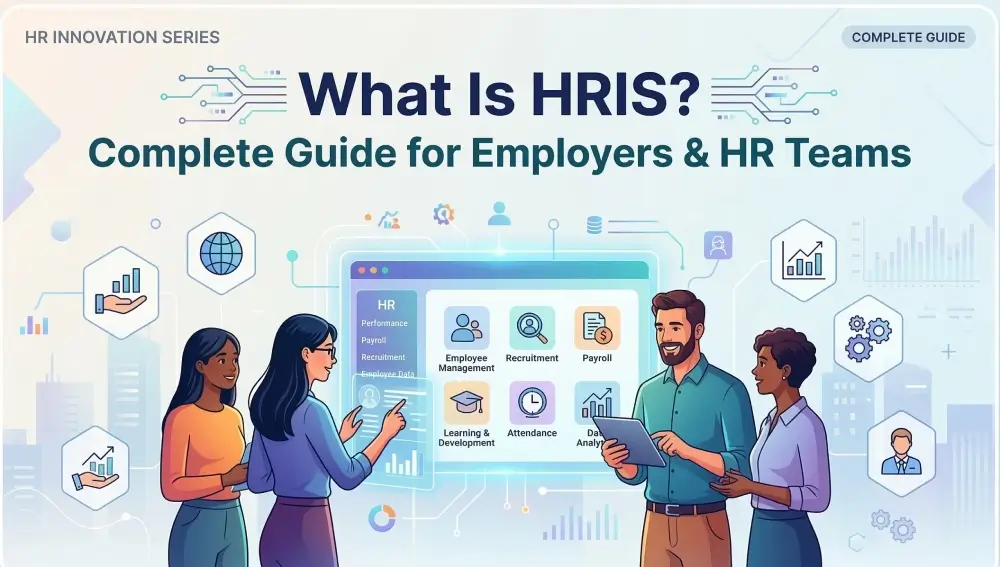
An HRIS (Human Resource Information System) is a software that helps businesses manage everything related to their people in one place. It’s like a central hub where employee data, payroll, leave, performance and HR admin all live together instead of spreadsheets and email threads.
At its core, an HRIS stores and organises employee information, from contracts and personal details to time off and performance records. In short, it’s the operational backbone that keeps your people processes running smoothly across every department. A good HRIS not only stores data but you can also automate repetitive HR tasks through it. It reduces the need for external HR support by giving managers and employees direct access to the information they need without going through HR every time.
So why does it matter? Managing people manually becomes slow and expensive when a business grows. Teams that use a good HRIS save hours of admin every week and reduce costly payroll mistakes while keeping the business compliant with employment laws and give leadership the data they need to make better decisions about their workforce.
“HR technology has already been instrumental in transforming the field of HR, and changes on the horizon have the potential for an even greater impact in the future. – Richard D. Johnson, Director of the HRIS Program at the University at Albany School of Business”
HRIS requirements checklist: core features to evaluate
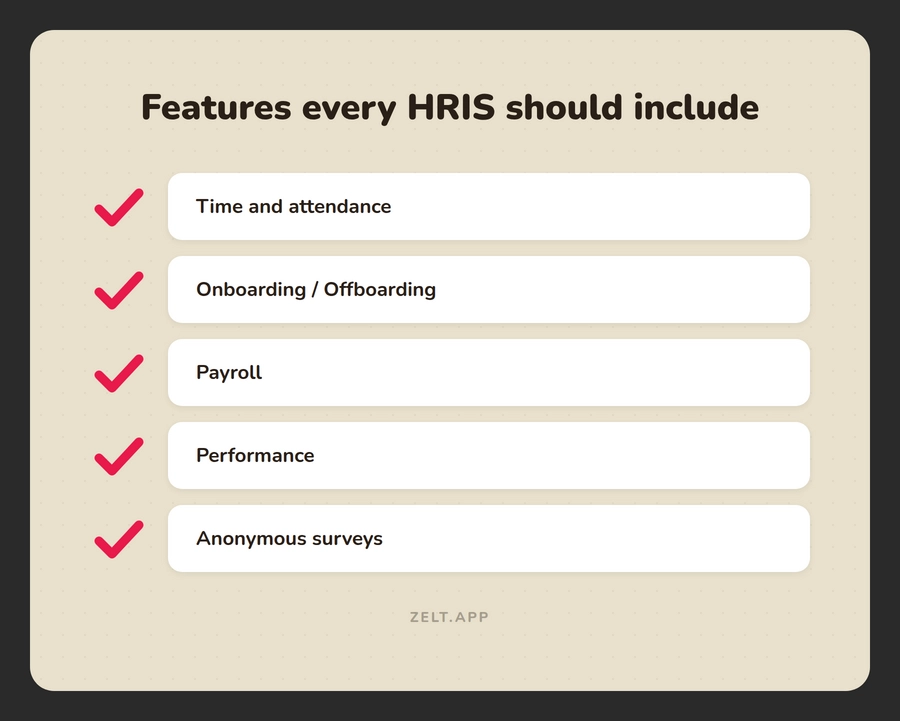
Not all HRIS platforms are built the same. Some are strong on payroll but weak on analytics. While some are great on onboarding but weak on employee records. In fact, only 24 percent of HR leaders say their organizations maximize their HR tech investment. You need to know exactly which features matter most to your business before you start comparing vendors.
Core HR and employee records
This is the foundation of any HRIS. At a minimum, your system should store and manage all employee information in one secure place, from personal details and contracts to job history and documents. Look for:
- A single employee profile that updates across the whole system
- Secure document storage with access controls
- Contract management and digital signing
- Organisational charts that update automatically
- Custom fields to capture data specific to your business
- Full audit trail of any changes made to employee records
Onboarding and offboarding
A good HRIS turns a chaotic first day into a smooth, structured experience. It should handle everything from sending offer letters to collecting documents, without HR chasing anyone manually. Look for:
- Automated onboarding workflows and task checklists
- Digital document collection and e-signatures
- Self-service onboarding portal for new starters
- IT and equipment request triggers built into the flow
- Structured offboarding checklists to protect the business
- Exit interview tracking and leaver documentation
Payroll and compensation
Payroll errors damage trust fast. Your HRIS should either run payroll directly or connect seamlessly with your existing payroll software, with no manual data re-entry in between. Look for:
- Native payroll processing or deep payroll integrations
- Automatic tax and National Insurance calculations
- Salary history and compensation tracking per employee
- Support for multiple pay schedules and employment types
- Payslip generation and employee self-service access
- Audit-ready payroll reports for finance and compliance
Time, attendance, and leave
Managing time off manually is one of the biggest sources of HR admin. A good HRIS automates the entire process, from request to approval to payroll adjustment. Look for:
- Employee self-service leave requests and approvals
- Configurable leave policies by team, role, or location
- Real-time leave balances visible to employees and managers
- Absence tracking and patterns reporting
- Overtime and shift management tools
- Integration with payroll so leave impacts pay automatically
Performance management
Performance management software is an important part of any HRIS.Performance reviews should not just generate paperwork but should drive growth. Your HRIS should make it easy to set goals, track progress and have meaningful conversations throughout the year. Look for:
- Goal and OKR setting at individual, team, and company level
- Regular check-in and one-to-one templates
- 360-degree feedback tools
- Performance review cycles that can be customised
- Development plans linked to performance outcomes
- Reporting on performance trends across teams
People analytics and reporting
Data is useful only if you can access and understand it quickly. Your HRIS should give HR and leadership the reports they need without having to export spreadsheets and build them manually. Look for:
- Pre-built dashboards for headcount, turnover, and absence
- Custom report builder for specific business needs
- Real-time data that updates automatically
- Workforce planning and forecasting tools
- DEI reporting and pay gap analysis
- Data export options for finance, legal, and leadership
HRIS requirements checklist by stakeholder
Buying an HRIS is not just the decision of one person. It includes HR, finance, IT, the C-suite, managers, employees and all have different priorities. If you only get the input from one team then it may work for them but for other teams it may not be suitable. In this section, we will share the questions each stakeholder should be asking before picking any platform.
HRIS checklist for HR teams
HR teams are the primary users of any HRIS, so their requirements carry the most weight. These are the questions HR should be asking every vendor.
- Does the system cover our core HR processes end to end?
- How much manual admin will this actually eliminate?
- Is the system intuitive enough for non-technical HR staff?
- Can we reflect our brand and workflows in the platform?
- Has the vendor worked with companies our size and in our industry?
- What does the onboarding and go-live process look like?
- What happens when we need help post-implementation?
- What is included in the price, and what costs extra?
- Which tools and platforms does it connect with natively?
- How does the vendor handle data breaches or security incidents?
HRIS checklist for finance and legal
Finance and legal teams need confidence that the platform is a sound investment and a safe one. These are the questions they will want answered.
- What is the realistic ROI and over what timeframe?
- What are the hidden costs beyond the subscription fee?
- How does this platform reduce payroll errors and compliance risk?
- What contract protections do we have if the vendor underdelivers?
- How does pricing scale as our headcount grows?
HRIS checklist for IT and security
IT teams need to know the platform is technically solid and will not create more work for them. These are the questions worth raising early.
- Does this system integrate with our existing tech stack?
- What does the implementation require from our IT team?
- How is employee data encrypted, stored, and accessed?
- Is the platform compliant with GDPR and local data protection laws?
- How are system updates and maintenance handled?
HRIS checklist for the C-suite
Leadership wants to know the investment makes strategic sense. These are the questions the C-suite should be asking before signing off.
- How does this platform support our people strategy over the next 3 years?
- What workforce insights and reporting does leadership get access to?
- How will this affect productivity across departments during rollout?
- What does a successful implementation look like in 90 days?
- Is this vendor a long-term partner or just a software provider?
HRIS checklist for line managers
Managers are daily users of the system, even if they are not the buyers. If the platform is clunky for them, adoption will suffer across the business.
- How easy is it to manage leave, performance, and team data day to day?
- Can managers run reports without involving HR?
- How does the system support performance conversations and reviews?
- Is there a mobile app for managing teams on the go?
HRIS checklist for employees
Employees interact with the HRIS more than most people realise. A poor employee experience leads to low adoption and more HR tickets, not fewer.
- Can employees update their own information without raising a ticket?
- How do employees access payslips, documents, and time off?
- Is the experience consistent across mobile and desktop?
- Does the platform support multiple languages for global teams?
HRIS requirements checklist template: free download
For your convenience, we have put together a free HRIS requirements checklist template so you don’t need to remember every requirement in your head. Just use the below Excel format template and save your time.
How to select the best HRIS for your business
Knowing your requirements is the first step. Turning them into the right buying decision is the next. Here is a simple process to follow.
Start with your biggest pain points
Before looking at any vendor, write down the three to five HR problems that cost your team the most time or money right now. Is it payroll errors? Manual leave tracking? Poor onboarding? Your requirements checklist should be built around solving those first. Features that do not address a real pain point are a distraction during the selection process.
Map requirements to your growth stage
A typical HRIS that works for a ten-person company may not work for a five-hundred-person company. That’s why when you have to choose the software, check whether it will grow with your business or not. It will help you to easily handle the headcounts on the same platform if they increase in the future and you don’t need to migrate to a new system.
Take advantage of product demos
Demos help you to see how HRIS actually works. You can use them to check how easy the system is to use, test the key features and ask questions about your business needs. A good demo helps you to check whether the platform is user-friendly and a good fit with your organisation or not.
Use a scoring matrix to compare vendors
Turn your requirements list into a scoring matrix and mark each requirement priority-wise. Score each vendor against these requirements after demos and trials. This makes it easier to compare options and choose the best HRIS based on evidence rather than instinct.
If you want a deeper look, you can read our blog on the 10 best HRIS software in the UK 2026, so you can pick the best one.
How Zelt meets your HRIS requirements
Most HRIS platforms ask you to choose between simplicity and functionality. Zelt gives you both. Zelt is built for growing businesses that need a modern, easy-to-use HR software without the complexity and cost of enterprise software. From core HR and payroll to onboarding, leave management and people analytics, everything your team needs is in one place from day one. Here is what makes Zelt different:
- Fast to implement. Most teams are up and running in days, not months.
- Easy for everyone. HR teams, managers, and employees all have a clean, intuitive experience without training courses.
- Built to scale. Whether you have 50 employees or 500, Zelt grows with your business without changing platforms.
- Integrations that work. Zelt connects with the tools your business already uses, from payroll providers to Slack and Google Workspace.
- Support that is actually helpful. A real team that responds fast, not a ticket queue.
If you are ready to see how Zelt maps to your HRIS requirements, book a demo and we will walk you through it.
Talk to an expert
See how Zelt brings payroll, HR, and people management together in one connected platform.
Conclusion
Choosing the right HRIS is one of the most important decisions your business will make for its people operations. But businesses mostly miss the key requirements and select the wrong system because they don’t have a structured HRIS requirements checklist.
Use our guide as your starting point. Get your stakeholders aligned and know your must-have features before booking a single demo. You can also download our checklist template and score vendors against your real business needs.