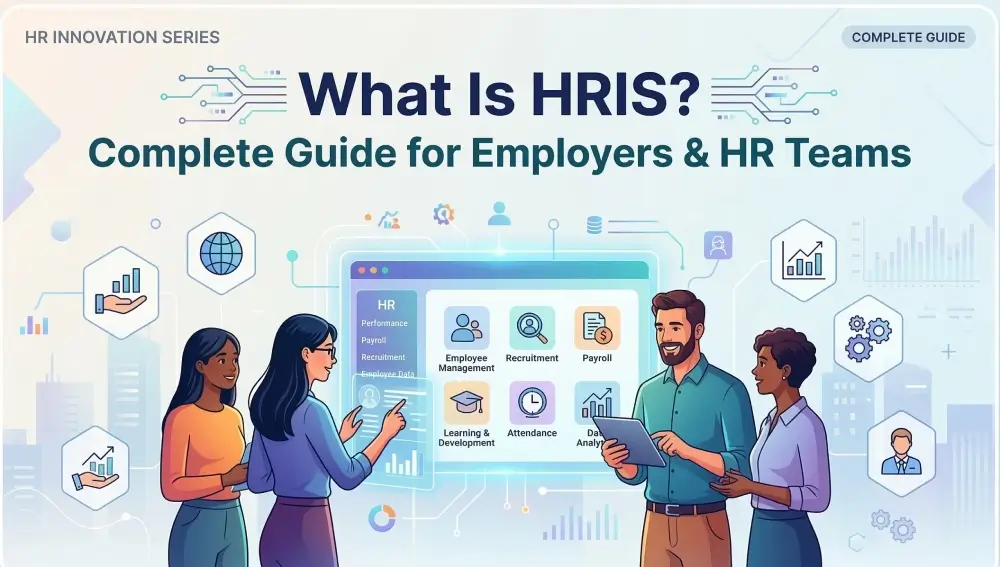
What Is HRIS? Complete Guide for Employers & HR Teams
If you are a small or mid-sized business owner, I know how busy you may be. But the most challenging moment is when a new employee joins, you have to spend a lot of time on administrative tasks.
This is where an HRIS comes in. It manages the entire employee lifecycle in one place. Effective HR management is almost impossible without a Human Resource Information System (HRIS). In this guide, we will explain what an HRIS is and how it can benefit your business.
What is HRIS?
Imagine this. You’re an HR manager at a fast-growing company. Your inbox is full, spreadsheets everywhere, and someone just asked for the latest leave report… yesterday. Sounds familiar? This is exactly why HRIS exists.
HRIS stands for Human Resource Information System. This software is like a hub for everything HR. Employee info, payroll, leave records, performance reviews — all in one place. You don’t need to jump between ten apps or hunt through endless folders anymore. Instead of wasting hours on repetitive tasks, HR teams can focus on people. Hiring, engaging, retaining talent — all smoother, faster, smarter.
Speak to us to see how Zelt simplifies HR management with employee data, payroll, benefits, and analytics in one platform.
Types of HRIS Systems
Not all HRIS systems are the same. They look similar on the surface — dashboards, employee records, reports. But dig a little deeper, and you’ll see different types, each designed for a purpose. Choosing the wrong one is like buying a sports car to haul furniture. It’ll work, but not well. Let me explain the 5 types:
Operational HRIS
This one’s all about the day-to-day. Think employee records, attendance, leave tracking, basic payroll. It’s practical, simple and keeps HR operations ticking. Perfect for small teams that need the essentials without extra bells and whistles.
Tactical HRIS
A step up from operational. Tactical HRIS helps HR plan and manage more than just records. Recruitment, training schedules, performance tracking — this type lets HR teams make informed decisions for mid-sized companies. It’s about organizing today while planning for tomorrow.
Strategic HRIS
Now we’re talking business-level strategy. Strategic HRIS goes beyond processes; it supports long-term planning, talent management, succession planning, and workforce analytics. HR can forecast trends, spot gaps, and align HR decisions with company goals. Ideal for larger teams thinking ahead.
Comprehensive HRIS Platforms
These are the all-in-one giants. HR, payroll, benefits, performance, learning, reporting — everything integrated in one system. No juggling between apps or spreadsheets. Comprehensive HRIS works for growing companies that want full visibility and control across their HR ecosystem.
Limited-Function HRIS Tools
Small, focused or sometimes temporary. Limited-function HRIS focuses on one or two HR needs — maybe just payroll or leave management. Good for startups or companies testing HR software before fully committing. Keep in mind: you may outgrow them fast.
HRIS vs HRMS vs HCM: What’s the Difference?
Here’s a common headache. People throw around HRIS, HRMS, HCM like they’re the same thing. They aren’t. Trust me, knowing the difference can save a lot of confusion — and maybe even some money.
What is HRIS
We talked about HRIS already. It’s the basics — employee records, payroll, leave tracking, benefits administration. HRIS keeps your HR data organised and processes smooth. It’s perfect for companies that need a solid foundation in HR management without overcomplicating things.
What is HRMS
HRMS takes HRIS and adds a few more layers. Think recruitment, training programs, performance management. Basically, HRMS is like HRIS with a little extra muscle. It helps companies manage not just records, but the full HR lifecycle.
What is HCM
HCM (Human Capital Management) is the big picture. It includes everything HRMS does, plus strategic workforce planning, talent analytics, and long-term employee development. HCM platforms are often used by large enterprises who need to link HR with broader business strategies.
Simple Comparison Table
| System | What It Focuses On | Typical Use |
| HRIS | Core HR data like employee records, payroll, leave tracking, and benefits | Best for companies that need basic HR management in one system |
| HRMS | Includes HRIS features plus recruitment, training, and performance management | Helps manage the full employee lifecycle |
| HCM | Strategic workforce management, talent analytics, and long-term employee development | Often used by large companies for strategic HR planning |
How an HRIS Works
Here’s the thing. Most blogs tell you what HRIS is, what features it has, maybe compare it to HRMS or HCM. But hardly anyone explains how it actually works in the real world. Let’s fix that.
An HRIS isn’t magic. It’s a system made of a few core pieces that, when combined, make HR life… way easier.
Core HR Database
Think of this as the heart of your HRIS. Every employee record — personal info, job history, pay, performance notes — lives here. No more lost files or endless spreadsheets. Everything is stored neatly, searchable in seconds. Managers can pull reports. HR can find data fast. Employees? They’re safe knowing their info is secure.
HR Automation Workflows
This is where the HRIS shows off a bit. Routine tasks — onboarding new hires, approving leave requests, reminding about performance reviews — all get automated. You set the rules once, the system runs them forever. Less manual work, fewer mistakes, more time to focus on people rather than paperwork.
Employee Self-Service Systems
Imagine employees no longer bothering HR for every little thing. Need to check leave balance? Done. Submit a timesheet? Done. Update personal info? Done. Self-service portals empower employees and free HR from endless “quick questions.” Everyone wins.
Reporting and Analytics Engine
This is where HRIS turns into a crystal ball. It tracks trends, shows patterns, and spits out reports that actually make sense. Who’s taking the most leave? Where’s turnover creeping up? How’s the team performing overall? With the right analytics, HR teams and leaders can make smarter, data-driven decisions instead of guessing.
Key HRIS Modules and Functions
Let’s be honest. Saying “HRIS has features” doesn’t really help anyone. You want to know what it actually does day-to-day. That’s where HRIS modules come in. Each module handles a piece of the HR puzzle. Together? They make life way simpler for HR teams and managers alike.
Employee Data Management
This is the backbone. Every HRIS has a place to store personal info, job roles, contracts, salary history, and more. Imagine no more digging through spreadsheets or sticky notes. HR can pull employee records in seconds, update info instantly, and keep everything compliant with data regulations.
Recruitment and Applicant Tracking
Hiring is messy, right? Applications everywhere, interviews to schedule, feedback to collect. HRIS handles it. Track candidates from first click to final offer. Move people through pipelines, keep notes, and even automate reminders for follow-ups. Hiring becomes organized, transparent, and a lot less stressful.
Onboarding and Offboarding
New hire paperwork, training checklists, IT setup… it’s a lot. HRIS automates onboarding so employees get a smooth start. Same goes for offboarding — exit forms, revoking access, final pay — all done cleanly. No missed steps, no headaches, just seamless transitions.
Payroll Management
Payday is sacred. HRIS calculates salaries, taxes, deductions, and benefits automatically. Errors? Mostly gone. Integration with accounting and benefits tools keeps payroll in sync. Employees get paid correctly and on time, HR gets peace of mind.
Time Tracking and Attendance
Forget punch cards and Excel sheets. Modern HRIS tracks working hours, absences, PTO requests, and overtime. Managers can approve requests with a click, employees can see balances instantly. Transparency everywhere.
Benefits Administration
Health insurance, pensions, perks… tracking it all manually is a nightmare. HRIS makes it simple. Employees can enroll, HR can manage plans, and the system keeps everything compliant and auditable.
Performance Management
Reviews, goal tracking, feedback… HRIS keeps it structured. Managers can set objectives, track progress, and run performance evaluations all in one place. Employees see their development path clearly, HR sees trends across the team.
Learning and Development
Upskilling and training matter more than ever. HRIS modules let you assign courses, track completion, and measure results. Learning becomes part of the workflow, not just an extra task on someone’s desk.
HR Reporting and Analytics
Here’s where HRIS becomes your strategic ally. Turn raw data into insights. Track turnover, absenteeism, performance trends, and hiring efficiency. Make reports that actually help managers and leaders make smarter decisions — instead of guessing.
Top Features of Modern HRIS Software
So, we’ve talked about modules. Now let’s zoom in on what makes modern HRIS truly powerful. Features are the tools that turn those modules into something you actually use, every day.
Centralized Employee Database
Think of this as the heart of your HR system. Everything lives here — personal details, job info, pay history, documents. No more hunting through folders, no more lost files. One place to store it all, easy to search, easy to update. HR loves it, managers love it, employees…well, they love not being asked for the same info five times.
Employee Self-Service Portals
Gone are the days when HR is a bottleneck. Employees can check leave balances, request time off, update personal info, and even view payslips. No emails. No calls. Just instant access. Happy staff, less HR stress.
Automation of HR Workflows
From approvals to reminders, automation is a lifesaver. Onboarding, performance reviews, benefits enrollment — HRIS can handle the repetitive stuff. Humans focus on strategy. Machines handle the routine. Everyone wins.
Integrations with Other HR Tools
Your HRIS isn’t an island. It talks to payroll software, accounting systems, recruitment tools, even messaging apps. Data flows seamlessly. Reports stay accurate. Your HR stack finally works together.
Mobile Accessibility
Work isn’t always at a desk. Modern HRIS apps let employees and managers access the system anywhere, anytime. Request leave on your phone. Approve a timesheet on the train. HRIS keeps pace with your life — not the other way around.
Data Security and Compliance Management
HR data is sensitive. Payroll info, contracts, personal IDs… it’s a lot. Modern HRIS platforms encrypt data, set permissions, and help you stay compliant with GDPR, labor laws, and other regulations. Peace of mind for HR, compliance teams, and employees alike.
The best HRIS features do more than just store data. They simplify work, empower employees, and make HR smarter. That’s why companies aren’t just buying software — they’re investing in smoother workflows and happier teams.
Benefits of Using an HRIS
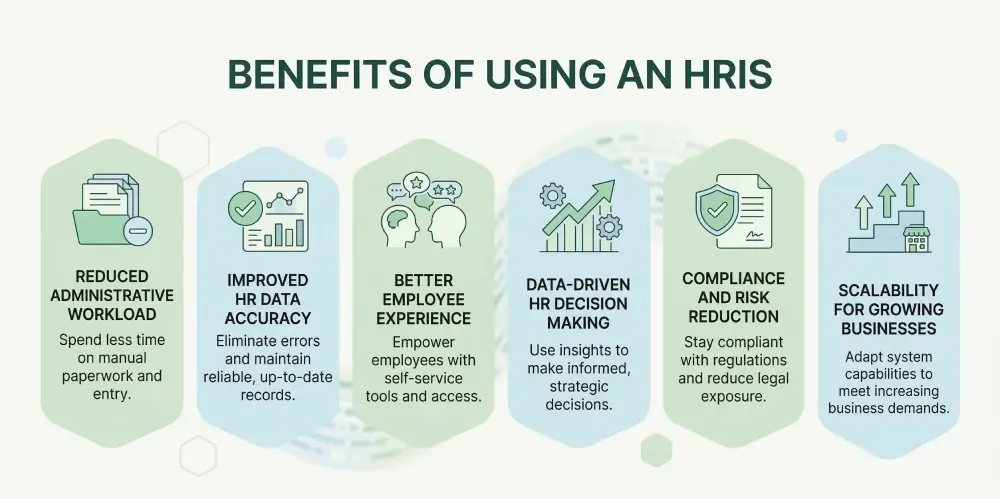
Alright, let’s talk why HRIS isn’t just another tool sitting on your shelf. It actually makes HR work… well, easier. And not just a little, it can change the way your team functions.
Reduced Administrative Workload
Remember all those spreadsheets, emails, sticky notes? Gone. HRIS automates repetitive stuff — leave approvals, payroll entries, reminders. Less clicking, less chasing people, more time for the work that actually matters. HR teams can finally breathe.
Improved HR Data Accuracy
Manual errors happen. Always. But when your HR data lives in one system, updated in real-time, mistakes drop. Employees’ personal info, pay history, leave balances — all accurate, all trustworthy. No more “Oops, we paid you wrong” moments.
Better Employee Experience
People like control. Self-service portals mean they can check their own info, request time off, access documents. Employees stop waiting for HR replies. They feel empowered. Happy employees = better engagement. Simple math.
Data-Driven HR Decision Making
HR isn’t just about forms and files. It’s strategy, planning, predicting trends. HRIS gives insights: turnover trends, attendance patterns, performance gaps. With real data, HR and leadership make smarter decisions — not guesses.
Compliance and Risk Reduction
Keeping up with laws and policies can be a headache. HRIS helps track everything, keeps audit-ready reports, and ensures your processes follow GDPR, labor rules, and internal policies. Less risk, less stress. HR can sleep a little easier.
Scalability for Growing Businesses
Your company grows. Teams grow. Processes get messy. A good HRIS scales with you. Add employees, track new policies, expand modules — without the chaos of spreadsheets or multiple apps. One system, growing with your business.
Cloud HRIS vs On-Premise HRIS
The debate is real. On one side, you’ve got cloud HRIS — shiny, flexible, always online. On the other, old-school on-premise HRIS — installed on servers in your office, sitting quietly like an old filing cabinet. Both manage HR, but they do it very differently.
What is Cloud HRIS
Cloud HRIS lives on the internet. No heavy servers, no IT teams constantly patching things. You log in from anywhere — laptop, phone, tablet — and boom, you have access to your HR data. It’s like your HR office in the cloud. Updates, new features, security patches — all automatic.
Benefits of Cloud HR Systems
Flexibility. Scalability. Accessibility. HR teams can access records anywhere, anytime. Payroll runs smoothly. Approvals happen faster. Employees update their own data. And IT stress? Practically gone. Cloud HRIS also plays nicely with other tools — payroll, accounting, learning management systems. Integration is a breeze.
Limitations of Legacy HRIS Software
Old on-premise systems? They get the job done…sometimes. But they’re rigid, slow, and expensive to maintain. Upgrades need IT involvement. Remote access is tricky. And forget about smooth integrations — you often end up juggling spreadsheets or multiple tools. It works, yes, but it’s not efficient anymore.
Why Most Companies Are Moving to Cloud HRIS
It’s simple. Businesses want speed, flexibility, and data at their fingertips. Cloud HRIS delivers that. Companies grow, teams spread across cities or countries, and legacy systems just can’t keep up. Moving to the cloud isn’t just a tech decision — it’s a business survival strategy.
Quick thought: If your HR system feels like it’s holding you back, cloud is the way forward. Your HR team will thank you. Employees too.
How to Choose the Best HRIS for Your Business
Picking the right HRIS isn’t just about features. It’s about fit. The system should solve problems, not create them. Here’s how to make the choice easier.
- Identify Your HR Challenges: Start with your pain points. Too much manual work? Data scattered everywhere? Compliance headaches? List them. The clearer you are, the better your HRIS match.
- Define Required HRIS Features: What does your team really need? Payroll, leave management, performance tracking, reporting, integrations? Prioritize must-haves vs nice-to-haves.
- Evaluate Integration Capabilities: Your HRIS shouldn’t work in isolation. It should connect with payroll, accounting, recruitment, or learning platforms. Smooth data flow = less frustration.
- Check Scalability and Security: Will the system grow with your company? Can it handle more employees, offices, or countries? And don’t ignore security — sensitive employee data must be protected.
- Compare Pricing and Vendor Support: Price matters, but so does support. Look at total cost, hidden fees, and vendor responsiveness. The best HRIS won’t just sell software — it helps you succeed.
If you’re comparing tools, you can explore our best HRIS software for 2026 guide to see the top platforms available today.
HRIS Implementation: Step-by-Step Guide
Implementing HRIS isn’t just clicking “install.” It’s a journey. One that touches every HR process, every employee, every manager. Let’s break it down.
Step 1: Assess HR Requirements
Start by listing your pain points. What’s manual? What’s slow? What’s critical for compliance? Talk to your team. Ask employees too. Understanding needs first saves headaches later.
Step 2: Select the Right HRIS Vendor
Look beyond flashy demos. Check features, integrations, and support. Can the system scale as you grow? Ask for references. Real experiences matter more than marketing.
Step 3: Data Migration and System Setup
Move your employee data carefully. Old spreadsheets, legacy systems — check for errors, duplicates, missing info. Set up roles, workflows, permissions. Clean data = smooth HRIS.
Step 4: Testing and Configuration
Don’t go live immediately. Test workflows, approvals, reports. Make adjustments. Small mistakes now are better than chaos later.
Step 5: Employee Training and Adoption
Even the best system fails if people don’t use it. Train HR teams and employees. Use bite-sized guides, videos, Q&A sessions. Make it part of daily work gradually.
Step 6: Go-Live and Continuous Improvement
Launch carefully, monitor usage, collect feedback. Fix issues, tweak workflows. HRIS is not “set it and forget it.” Continuous improvement ensures ROI.
Common HRIS Challenges and How to Solve Them
Even the best HRIS isn’t magic. Challenges pop up. Here’s what you might face.
- Implementation Complexity: Too many workflows, too many modules. Solve it by starting small. Implement core HR first. Then expand gradually.
- Employee Adoption Issues: Resistance is normal. Some staff avoid change. Solve by training, support, and showing benefits. Incentivize use where possible.
- Data Migration Challenges: Messy or missing data can break the system. Clean it before migration. Double-check critical info.
- Integration Problems: Your HRIS must connect to payroll, accounting, recruitment. Use APIs, test thoroughly, plan extra time for complex integrations.
How HRIS Integrates with Your HR Tech Stack
Modern HRIS isn’t isolated. It plays nice with other systems, creating a connected HR ecosystem.
- Payroll Systems: Automatic sync of salary, taxes, deductions. Payroll errors drop dramatically.
- Recruitment Software: Candidate data flows directly into HRIS. Onboarding starts immediately after hire.
- Performance Management Tools: Reviews, goals, and ratings feed from HRIS. Managers see full history instantly.
- Benefits Platforms: Track health insurance, pensions, perks. Employees can self-manage without HR chasing papers.
- Accounting Systems: HRIS exports payroll, bonuses, and deductions into finance tools. Less double-entry. Fewer mistakes.
The Future of HRIS: AI and Intelligent HR Platforms
HRIS isn’t just tracking data anymore. AI and intelligent tools are shaping the next era.
- AI-driven HR Analytics: AI looks at trends in turnover, engagement, performance. It spots problems before managers notice.
- Predictive Workforce Planning: Need more staff next quarter? AI predicts hiring needs, skill gaps, and succession plans.
- Automation in HR Operations: Leave approvals, payroll calculations, reminders — done automatically, intelligently, and fast.
- Employee Experience Platforms: AI personalizes experiences. Learning suggestions, career paths, task reminders — all tailored to each employee.
Conclusion
HRIS is more than software. It’s the backbone of modern HR. It saves time, reduces errors, improves employee experience, and supports smarter decisions. Without it, HR teams spend hours on manual tasks. With it, they focus on strategy, culture, and growth.
Investing in a good HRIS like Zelt isn’t optional anymore — it’s essential. Zelt simplifies HR management with employee data, payroll, benefits, and analytics in one platform. Book your demo today!
Frequently Asked Questions
What does HRIS stand for?
HRIS stands for Human Resource Information System. It’s software to manage HR tasks, data, and processes.
HRIS Examples and Popular Software
Not all HRIS are the same. Let’s look at real-life examples.
- HRIS for Small Businesses: Zelt, BambooHR, Gusto — simple, easy, affordable. Handles payroll, leave, and basic HR. Perfect for growing teams.
- HRIS for Mid-Size Companies: Zelt (advanced plans), Rippling, HiBob, Paylocity — more features, stronger analytics, better integrations. Scales with your workforce.
- Enterprise HRIS Platforms: Workday, UKG Pro, ADP — complex, global-ready.
How does an HRIS system work?
It centralizes employee info, automates workflows, tracks performance, manages payroll, and generates reports. All in one system.
Who uses HRIS software?
HR teams, managers, and even employees. Everyone who touches HR data benefits. It’s very useful for small to mid size businesses.
When should a company implement an HRIS?
When HR tasks are too manual, error-prone, or time-consuming. Usually, during growth or digital transformation.
Is HRIS the same as HR software?
Not exactly. HRIS is a type of HR software focused on data, automation and HR processes. HR software can be broader, sometimes more task-specific.