Contractor Calculator 2026: For Employers & HR Teams
If you are an employer or HR manager, it is hard to choose between hiring contractors or employees without knowing the “real” cost. Missing clear numbers puts you at risk of going over budget or losing great talent due to tax surprises.
| Setting | Value | Unit |
|---|---|---|
| IR35 status |
(Low salary + dividends)
|
|
| Pay rate Days per week Weeks per year |
||
| Monthly expenses Umbrella fee Pension contribution |
£ / month £ / week % |
|
| Annual gross | £0 | per year |
| Personal Tax & NI | £0 | per year |
| Monthly take-home | £0.00 | per month |
| Note: Accurate for 2025/26. Includes 15% Employer NI, 0.5% Levy, and tiered tax bands. | ||
Download the IR35 Calculater for Excel
 To view how these values are calculated and compare, you can download the Excel calculator by entering your details to receive it via email from ckp@tryzelt.com. Spot an error or have feedback? Let us know.
What Is a Contractor Calculator?
A contractor salary calculator is an online tool. It helps you calculate how much a contractor earns and how much they take home after tax.
The calculator shows:
- The contractor’s total earnings
- Tax and National Insurance (NI)
- The final take-home pay
In simple words, this tool answers one clear question “How much money will be left after all deductions?”. This makes pay and cost easy to understand for everyone.
How to Use Our Contractor Salary Calculator
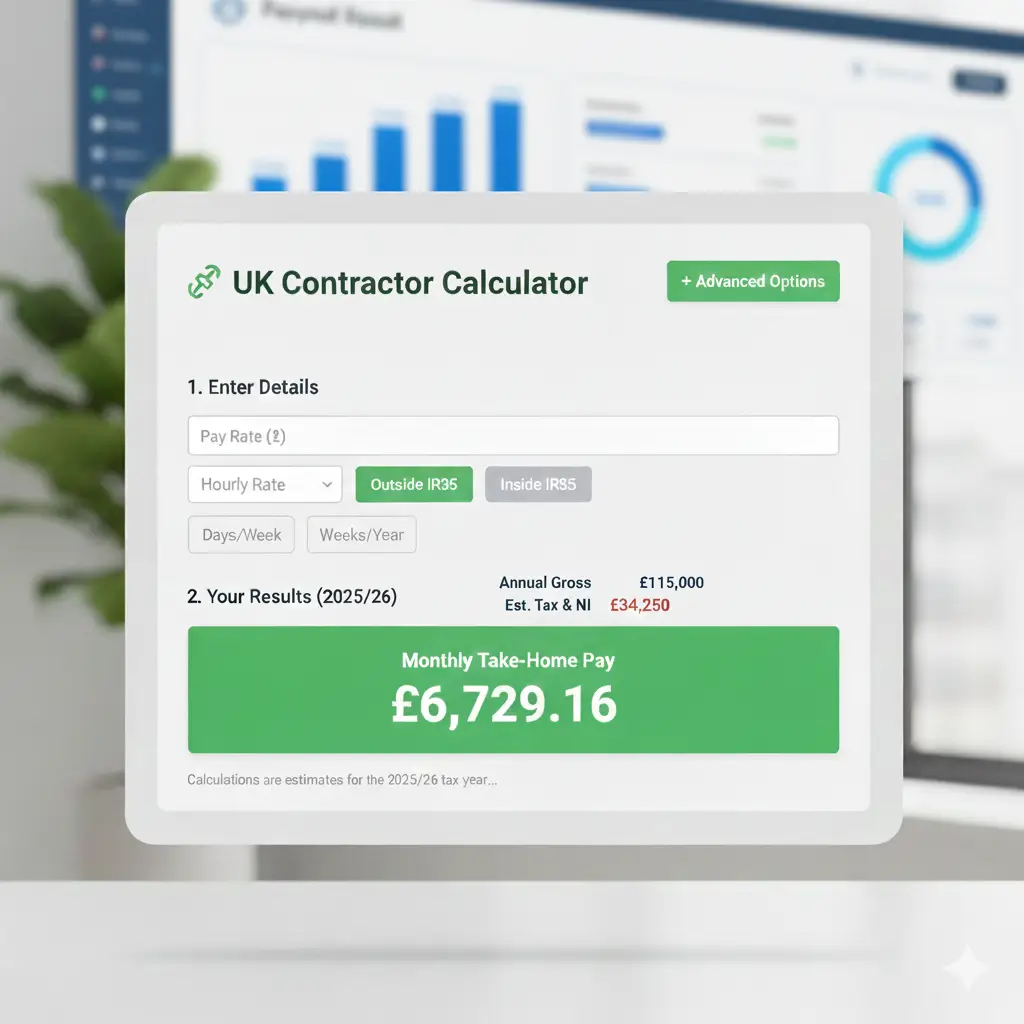
Using a contractor pay calculator is very simple and only takes a minute. As someone who handles hiring, I appreciate how it turns messy numbers into a clear plan.
What You Put In
- Pay Rate: Your hourly or daily pay.
- Work Schedule: How many days a week and weeks per year you work.
- IR35 Status: Simply toggle between “Inside” or “Outside” IR35. This is a huge help because the tax rules for each are very different!
- Extra Details: You can also add things like tax year, pension, or expenses for a more perfect result.
- Business Expenses: If you work “Outside IR35,” you can enter monthly costs like software, travel, or equipment. This lowers your corporation tax and raises your take-home pay.
- Umbrella Fees: For “Inside IR35” workers, we include the “margin” or fee charged by the umbrella company so your results are realistic.
- Pension Contributions: You can toggle your pension percentage. This is a great way for contractors to save on tax through “Salary Sacrifice.”
What You Get Out
The calculator instantly shows you:
- Gross Income: Your total earnings before any cuts.
- Taxes: An estimate of what goes to the government.
- Take-Home Pay: The actual money you keep.
- Total Employer Cost: For HR teams, this shows the full cost to the business.
We have updated the logic of this calculator to include the latest UK Budget changes. For example, it now accounts for the 15% Employer National Insurance rate and the lower £5,000 threshold. Most calculators still use the old 13.8% rate, but as an HR professional, I know that getting these numbers wrong can ruin a project budget.
Talk to an expert
Talk to us to see how Zelt makes managing contractors and payroll simple, accurate, and stress-free.
Difference Between Contractors and Employees
To understand this calculator, it is important to know the difference between a contractor and an employee.
Employee
An employee is a permanent part of the company. They are paid through payroll. They receive holidays, sick pay, and other benefits. The employer also pays National Insurance for them.
Contractor
A contractor works independently. They usually manage their own tax. They are paid a higher rate, but they do not receive employee benefits like paid leave or sick pay.
Because of this difference, contractor costs are more complex. That is why a contractor calculator is needed to see real pay and tax clearly.
| Feature | Permanent Employee | Contractor |
|---|---|---|
| Job Duration | Long-term / Permanent | Short-term / For one project |
| Benefits | Gets paid holidays and sick pay | No paid holidays or sick pay |
| Taxes | The company handles it via payroll | They usually manage their own tax |
| Pay Rate | Standard salary | Higher hourly or daily rate |
We also have an employee cost calculator so you can compare contractor vs employee costs and see the full picture when planning your team.
Who Uses a Contractor Pay Calculator?
In my experience as an HR professional, I see two main groups using this calculator to make smart choices. These are contractors and employers or HR teams. Each group uses the calculator for different reasons, but both need clear numbers to make good decisions. Let me share with you quickly how it is useful for both.
1. Contractors (The Workers)
Contractors use it to see their real pay. A high daily rate can be tricky. I have seen many people accept a job and feel sad later when they see their tax bill. This tool helps them see exactly what they will keep so they can pay their bills and save money with confidence.
2. Employers and HR Teams
We use this to plan budgets. Before we hire someone, we need to know the total cost to the company, not just the pay rate. It helps us decide if we should hire a contractor or a permanent employee. It also helps us understand tricky tax rules like IR35 so we don’t make expensive mistakes.
Stop Calculating, Start Hiring with Zelt
Managing people is a big job. Once we use a calculator to figure out the pay, we still have to handle contracts, IDs, and payments. Doing this by hand is slow and leads to mistakes. That is why I recommend using Zelt HR software.
Zelt brings HR tools together and helps teams automate payroll, so contractors are paid correctly and on time. Let me show you how Zelt makes contractor hiring simple and stress free.
- It calculates everything and shows the exact pay you will receive.
- It stores all contracts in one safe place.
- It makes sure everyone gets paid the right amount on time.
- It helps us follow all the government tax rules automatically.
By using our contractor calculator to plan and Zelt to manage, you remove the guesswork from hiring. It is the smartest way to run a modern, stress-free team!
Frequently Asked Questions
What does IR35 mean?
IR35 is a tax rule that checks if a contractor is working like a regular employee. If you are "Inside IR35," you are taxed like a permanent staff member. If you are "Outside IR35," you are treated as an independent business. Our calculator helps you see how much pay you keep in either situation.
Can the calculator help me choose between two jobs?
Yes! If one job offers a high daily rate but is "Inside IR35," and another offers a lower rate "Outside IR35," you can use the calculator to see which one actually puts more money in your pocket at the end of the month.